ChatGPT for Excel and Google Sheets Is Now Out of Beta—and It’s a Big Deal
The distinction between artificial intelligence and productivity applications for day-to-day tasks has narrowed considerably based on the rollout of ChatGPT having passed beta and is now available within spreadsheets. With tools such as Excel and Google Sheets not functioning simply as data repositories, they will soon serve users as an intelligent workspace environment.
From Beta to General Release
After testing for several months, the integration of ChatGPT has moved from beta mode to a full general release availability through all plans. As a result, access to this tool will expand beyond the original testing, with only large enterprises and educational institutions providing access, and now students and industry analysts will also have the ability to incorporate AI into their workflow, without the need for switching between multiple systems.
What are the features of ChatGPT?
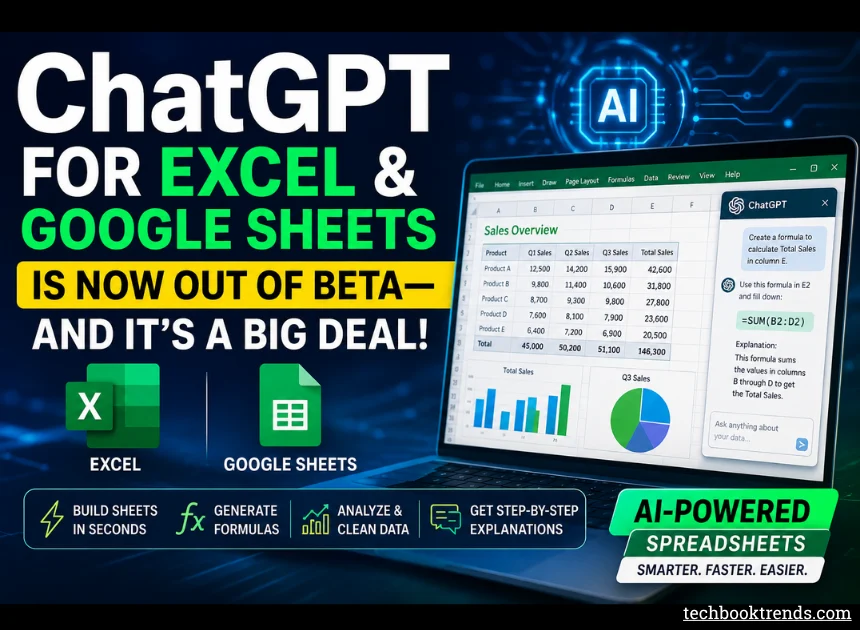
ChatGPT is not just an intelligent assistant integrated into your spreadsheet environment; it is designed to function as an interactive spreadsheet assistant. Some features of ChatGPT include the ability to:
Build entire spreadsheets with just one simple input.
Build and fix formulas;
Analyze data from multiple tabs.
Cleaning corrupt or messy datasets;
Providing detailed step-by-step explanations of how to create complex formulas.
Rather than having to manually type out your desired output in the form of a formula, you simply describe in plain English what you would like and the AI will automatically write the necessary formulas.
A Major Shift In How We Use Spreadsheets
In the past, spreadsheets were primarily used as data-capturing and analysis tools that required:
Technical Knowledge Of Formulas, Functionality, Etc.
Manual Cleaning Of Data To Get It To A Format That Was Ready For Analysis
Lots Of Time Spent Analyzing Data
With ChatGPT transforming spreadsheets into more of a conversational interface, that barrier is gone. Now, users can walk through the data-processing stages without needing to actually perform each step.
This transformation is particularly beneficial to:
Students learn how to analyze data using various methods (including spreadsheets).
Business users who do not know how to use the advanced features of Excel.
Groups/teams of employees that are working with large/complex datasets.
Why Does This Matter
This is more than just a simple feature update; it’s a larger change to the way software is designed. Historically, AI applications have been developed outside of productivity applications; therefore, it was necessary to:
Ask a question through a Chatbot.
Copy the response to the question from the Chatbot.
Paste the information from the Chatbot into the appropriate location of a spreadsheet.
With the launch of ChatGPT, this entire loop no longer exists. ChatGPT now enables users to have an interface to ask questions related to data, and then ChatGPT will provide answers and perform calculations where the data is stored.
The Broader Scope Of AI In Work Tools
This shift of transforming productivity applications into having AI capabilities increases the competition between technology companies. Companies like Google and Microsoft are moving quickly to integrate AI capabilities into their products/services; therefore, they are transforming common workplace tools into AI assistants.
We are entering a new phase of using data in which Spreadsheets are evolving into being self-writers, Data analysis is transforming into being conversational in nature, and Productivity tools will become much more of a collaborative process between the user(s) and the software.
Not the Best, but Considerably More Effective
ChatGPT spreadsheets also have the potential for error. Complex financial calculations can lead to errors, even if the calculations and formulas you use are correct. Therefore, it is recommended that all complex financial or critical calculations be verified.
Just because you are using ChatGPT doesn’t mean that you should rely on it without understanding what it is doing! This could have serious consequences down the line.
However, ChatGPT has already established itself as a valuable tool for boosting productivity.
Final Thoughts
The transition of ChatGPT into Microsoft Excel and Google Sheets, combined with the potential for future developments, will change not only how people use spreadsheets but also how people view their spreadsheets. Before this technology became available, people thought of spreadsheets as being made up of rows and formulas. But now, because of AI, spreadsheets are becoming collaborative and interactive work environments.
If current advancements continue, the present and future of work may depend more on knowing how to communicate with tools such as Excel rather than just learning how to use them.