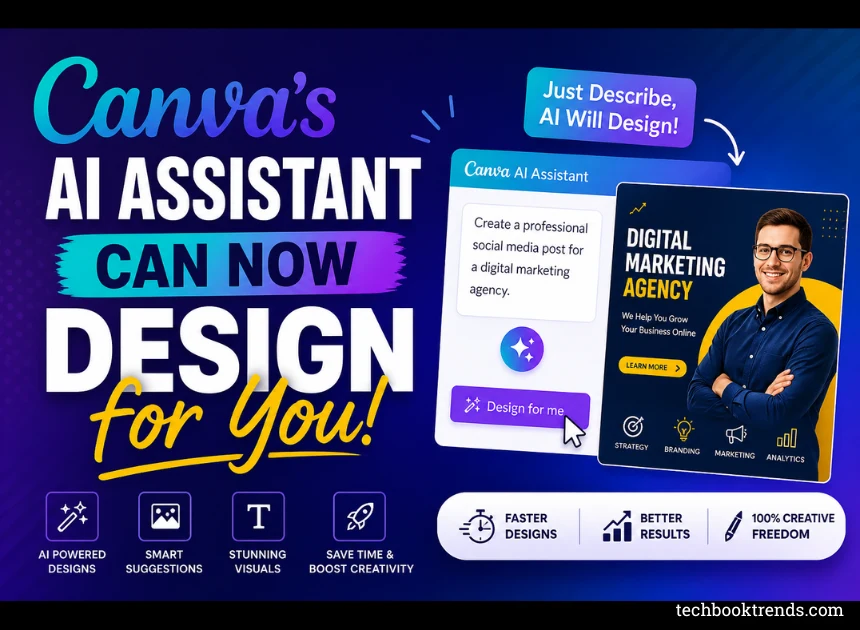
Canva’s AI Assistant Can Now Design for You
Canva is evolving from being simply a graphic design application to a full-blown AI designer. With their advancements in AI technology.
Canva can create graphics from scratch, and it can produce graphics for you. But they also come equipped with various tools that can create complete graphics on their own.
This new innovation highlights the shift from a lingering manual design process to an effective design process with the use of technology to produce graphics.
In turn, has created more efficient means to create and edit designs for both beginner and advanced graphic designers, regardless of whether you have a background in graphic design.
From Tool to Assistant
Previously, the user was required to:
- Select your template
- Insert any textual references or images
- Modify each of the graphical layout designs step-by-step to get your desired result.
In short, the process of designing has significantly changed since the release of Canva’s AI-enabled graphic creation feature.
You simply need to specify your desired output, and the AI will immediately source products that meet this criteria, as well as produce a usable graphic in seconds from this input.
Thus, a job that could previously take many hours or even days can now be done in minutes.
AI That Uses Tools for You
Additionally, there are a lot of other benefits that come with using Canva’s AI system. One of the most beneficial features is the ability to learn from its users. As mentioned above, it learns from you and adapts to your preferences to give you an optimized experience.
For example, the AI uses your preferred color schemes and your design style in order to create a design that matches your brand colors. This means that when you use Canva’s AI, you can create designs that look very similar to other designs that you may have previously created.
Smarter and More Personalized
Another great benefit of using Canva’s AI is its ability to make the editing process easy. The AI knows where the text will be in your layout so that these same areas stay consistent across various types of layouts (e.g., presentation vs. brochure).
This means you can quickly create multiple copies of the same design but with each version maintaining a consistent layout, which will ultimately save you a lot of time.
Why This Matters
This recent update signals yet another example of the evolution of digital instrumentation; without a doubt, there has been a significant transformation of design through the combination of technical and creative skills. Although designing has always required technical and creative abilities, advances in AI technology have reduced this complexity.
In the future, many traditional designers will see their jobs replaced by AI, as design sources transition from manual work to AI-assisted design, and design tools become simpler and less intimidating.
Business professionals who were once limited to designers now have access to professional-grade creative tools, which allow any content creator to create high-quality design jobs independently of others.
Real-World Use Cases
For instance, small-business owners can now produce promotional material far faster than before, regardless of their creative skill level, eliminating the need for outside hires. College students can generate presentation decks in minutes.
In short, the same is true for most content creators, who can now
- Create thumbnails,
- Posts, and
- Video content at rates significantly faster than before.
Thus, there are numerous ways in which Canva’s AI technology has practical value in various applications.
Final Thoughts
In conclusion, Canva’s AI is accelerating the design process for the user by creating designs for you. As this technology becomes more advanced. Users will likely spend less time creating and spend more time better defining what they want to create.
The future of design using Canva is going to be a lot easier, faster, and automated.
Frequently Asked Questions
Ans. Canva’s AI assistant will automatically generate multiple design outputs by using simple text commands to create layouts and generate content using this function from Canva.
Ans. Yes. The AI will build complete designs from as little as a brief description provided by the user, which is why it can create unique layouts and find images to place on those layouts.
Ans. Yes. The AI will save your past work so that it will be able to generate designs based on your personal preferences (font, colour, etc.).
Ans. You can create presentations, social media posts, thumbnails, posters, and short video clips using the AI tools found on the Canva platform.
Ans. Although it is still possible to use the AI to complete many tasks, it is much more likely to assist rather than completely replace designers. Creative strategy and originality are pieces of work that will always need to be performed by a human being.
Ans. Canva has both free and premium features, but depending on the premium features, you may need to purchase a subscription in order to utilize some of the more advanced AI tools.