
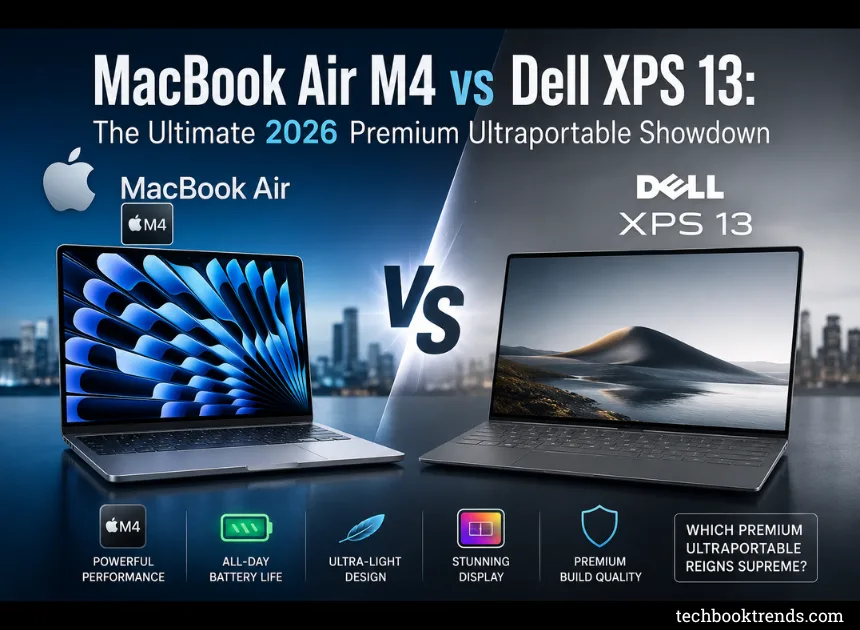
MacBook Air M4 vs Dell XPS 13: The Ultimate 2026 Premium Ultraportable Showdown
Picking a high-end ultraportable in 2026 isn’t a straightforward choice between macOS and Windows anymore. With the MacBook Air M4 and the Dell XPS 13 both pushing boundaries on performance, design, and dedicated AI silicon, the decision comes down to how you actually work and what you value in a daily driver.
While both sit at the top of the premium laptop market, they target completely different philosophies. Let’s break down how they stack up across every critical category to help you figure out where to drop your hard-earned money.
The Quick Verdict
If you want the short answer: the MacBook Air M4 remains the safest, most reliable pick for the vast majority of people. Its ridiculous power efficiency, dead-silent fanless design, and sheer real-world battery life make it incredibly hard to beat. However, the Dell XPS 13 is the clear alternative if you need Windows compatibility, want a jaw-dropping OLED touchscreen, or need a machine that plays nicely with x86 legacy software and enterprise ecosystems.
| Category | Winner |
| Overall | 🏆 MacBook Air M4 |
| Students | 🏆 MacBook Air M4 |
| Professionals | 🏆 MacBook Air M4 |
| Business Users | 🏆 Dell XPS 13 |
| Gaming | 🏆 Dell XPS 13 |
| Display | 🏆 Dell XPS 13 |
| Battery | 🏆 MacBook Air M4 |
| Performance | 🏆 MacBook Air M4 |
| AI Features | 🤝 Tie |
Design & Build Quality
These are two of the most impeccably engineered chassis on the market, but their aesthetics pull in opposite directions. Apple sticks to its hyper-refined, rock-solid minimalist aluminum unibody that feels familiar and incredibly sturdy. Dell, meanwhile, takes a gamble on a hyper-futuristic, ultra-compact footprint featuring edge-to-edge aesthetics and impossibly thin bezels.
| Feature | MacBook Air M4 | Dell XPS 13 | Winner |
| Material | Aluminum Unibody | CNC Aluminum | Tie |
| Weight | 1.24 kg | 1.17 kg | 🏆 Dell |
| Thickness | 11.3 mm | 14.8 mm | 🏆 MacBook |
| Build Quality | ⭐⭐⭐⭐⭐ | ⭐⭐⭐⭐⭐ | Tie |
| Premium Feel | ⭐⭐⭐⭐⭐ | ⭐⭐⭐⭐⭐ | Tie |
| Color Options | More Varied | Fewer Options | 🏆 MacBook |
Display Comparison
The screen is where you’ll notice an immediate divide. Apple’s Liquid Retina display is exceptionally bright, uniform, and color-accurate—perfect for regular productivity. But Dell completely dominates here if you configure it with their stunning 3K OLED panels, which offer infinite contrast, vibrant colors, and a buttery-smooth 120Hz refresh rate that makes macOS’s standard 60Hz look distinctly dated.
| Feature | MacBook Air M4 | Dell XPS 13 | Winner |
| Screen Size | 13.6″ | 13.4″ | Tie |
| Resolution | 2560×1664 | Up to 3K OLED | 🏆 Dell |
| Display Type | Liquid Retina | IPS / OLED | 🏆 Dell |
| Refresh Rate | 60Hz | Up to 120Hz | 🏆 Dell |
| Brightness | 500 nits | Up to 500 nits | Tie |
| HDR Support | Limited | Superior Contrast | 🏆 Dell |
| Outdoor Visibility | Excellent | Very Good | 🏆 MacBook |
Performance & Real-World Power
For everyday office multitasking, web browsing, and writing, you won’t be able to make either of these machines stutter. However, when it comes to creative tasks like rendering 4K video or processing heavy photo libraries, Apple’s M4 architecture pulls ahead in sustained workflows. It manages all of this without a cooling fan, running completely silent while Dell relies on internal fans to keep its Intel or Snapdragon chips from getting overly warm.
| Task | MacBook Air M4 | Dell XPS 13 | Winner |
| Office Work | ⭐⭐⭐⭐⭐ | ⭐⭐⭐⭐⭐ | Tie |
| Multitasking | ⭐⭐⭐⭐⭐ | ⭐⭐⭐⭐⭐ | Tie |
| Video Editing | ⭐⭐⭐⭐⭐ | ⭐⭐⭐⭐☆ | 🏆 MacBook |
| Photo Editing | ⭐⭐⭐⭐⭐ | ⭐⭐⭐⭐☆ | 🏆 MacBook |
| Programming | ⭐⭐⭐⭐⭐ | ⭐⭐⭐⭐⭐ | Tie |
| AI Workloads | ⭐⭐⭐⭐⭐ | ⭐⭐⭐⭐⭐ | Tie |
| Heat Management | Fanless / Silent | Very Good Fans | 🏆 MacBook |
Battery Life & Longevity
Apple basically rewritten the rules on battery endurance with Apple Silicon, and the trend holds strong. The MacBook Air M4 effortlessly glides through a 14-to-16 hour workday without you ever glancing at a battery icon. While Dell’s ARM-based Snapdragon variants come impressively close to matching this longevity, the high-performance Intel configurations drain significantly faster—especially if you opt for the power-hungry OLED display.
| Feature | MacBook Air M4 | Dell XPS 13 | Winner |
| Video Playback | Up to 18–20 hrs | Up to 20 hrs (Snapdragon) | Tie |
| Everyday Use | 14–16 hrs | 10–14 hrs | 🏆 MacBook |
| Standby Time | Incredible | Very Good | 🏆 MacBook |
| Fast Charging | Yes | Yes | Tie |
AI Integration
On-device AI infrastructure is standard across the board now. Apple leverages its beefed-up Neural Engine to drive local Apple Intelligence tools directly into the OS layer. Dell counters with Microsoft’s Copilot+ suite, powered by dedicated hardware NPUs. Both deliver immediate text generation, image manipulation, and real-time audio transcriptions, meaning your preference will simply track with whichever software ecosystem you already live in.
| Feature | MacBook Air M4 | Dell XPS 13 |
| Dedicated AI Silicon | ✅ | ✅ |
| On-Device Processing | ✅ | ✅ |
| AI Writing & Editing | ✅ | ✅ |
| Local Image Generation | ✅ | ✅ |
| Live Audio Captions | ❌ | ✅ |
| Apple Intelligence | ✅ | ❌ |
| Microsoft Copilot+ | ❌ | ✅ |
| Windows Studio Effects | ❌ | ✅ |
Gaming Ecosystem
Let’s be realistic: neither ultraportable is built to replace a dedicated gaming rig. But if you want to unwind with a decent gaming library after hours, Dell runs away with the crown. Windows offers vast native compatibility with Steam, Epic Games, and Xbox Game Pass, leaving Mac’s small—albeit growing—gaming catalog in the dust.
| Feature | MacBook Air M4 | Dell XPS 13 | Winner |
| AAA Gaming | ⭐⭐☆☆☆ | ⭐⭐⭐⭐☆ | 🏆 Dell |
| Casual Gaming | ⭐⭐⭐⭐⭐ | ⭐⭐⭐⭐⭐ | Tie |
| Steam Compatibility | Limited | Excellent | 🏆 Dell |
| Xbox Game Pass Support | ❌ | ✅ | 🏆 Dell |
Ports & Connectivity
Minimalism is the name of the game here, and both laptops require you to embrace the dongle life if you use old peripherals. However, Apple sneaks in a win by including a dedicated MagSafe charging port, which keeps both of your high-speed Thunderbolt ports completely open while the laptop is plugged into the wall.
| Port / Slot | MacBook Air M4 | Dell XPS 13 |
| Thunderbolt / USB4 | 2 | 2 |
| USB-A Legacy | ❌ | ❌ |
| HDMI Video Out | ❌ | ❌ |
| SD Card Slot | ❌ | ❌ |
| MagSafe Charging | ✅ | ❌ |
| 3.5mm Headphone Jack | ✅ | ❌ |
Pricing & Value Strategy
Both machines command a premium price tag, but Apple has shifted the value equation by doubling its baseline memory configurations to 16GB without raising the entry barrier. The MacBook Air M4 starts at a lower threshold, giving you top-tier performance out of the gate. Dell’s entry point is slightly higher, and if you start customizing it with high-end OLED displays and upgraded chips, the final checkout price climbs quickly.
| Category | MacBook Air M4 | Dell XPS 13 |
| Starting Price | Around $999 | Around $1,099 |
| High-End Specs | Scales Reasonably | Escalate Quickly |
| Value For Money | ⭐⭐⭐⭐⭐ | ⭐⭐⭐⭐☆ |
| Best Budget-Premium Pick | 🏆 MacBook Air M4 | — |
The Final Verdict: Which belongs on your desk?
You won’t regret buying either of these ultraportables, but they cater to distinct priorities.
Go with the MacBook Air M4 if you want a set-it-and-forget-it laptop with legendary battery endurance, dead-silent operation, and a lower barrier to entry. It is the gold standard for daily productivity, students, and mobile creatives.
Pick up the Dell XPS 13 if you are firmly rooted in the Windows ecosystem, need enterprise or gaming compatibility, and want an absolutely gorgeous, bezel-free OLED viewing experience that makes media consumption feel like a cinema.
| User Persona | Recommended Match |
| Students | 🏆 MacBook Air M4 |
| Content Creators | 🏆 MacBook Air M4 |
| Software Developers | Depends heavily on your OS stack |
| Office Productivity | 🏆 MacBook Air M4 |
| Enterprise / Business | 🏆 Dell XPS 13 |
| Frequent Travelers | 🏆 MacBook Air M4 |
| Casual Gamers | 🏆 Dell XPS 13 |
| Best Overall Pick | ⭐ MacBook Air M4 |