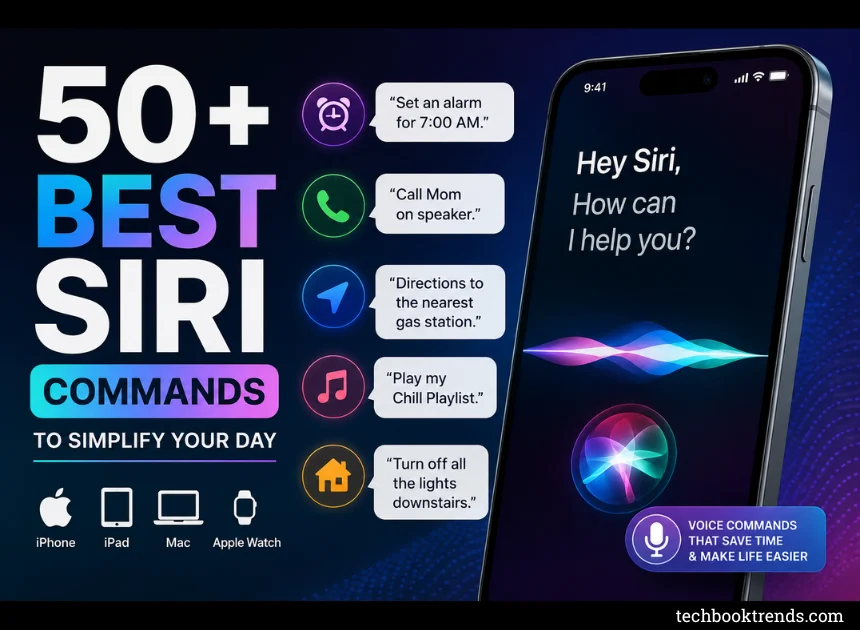
50+ Best Siri Commands to Simplify Your Day
Using Siri effectively comes down to skipping the taps and swipes for routines you perform every single day. Here is a master list of the most reliable Siri commands across iOS, iPadOS, macOS, and watchOS.
Daily Essentials & Time Management
-
“Set an alarm for 7:00 AM.”
-
“Set a timer for 15 minutes called ‘Pasta’.”
-
“Remind me to grab the laundry when I get home.” (Uses geofencing)
-
“What’s on my calendar for tomorrow?”
-
“Reschedule my 3 PM meeting to 4 PM.”
-
“What’s the weather forecast for this weekend?”
-
“What time is it in Tokyo?”
-
“Set a recurring alarm for weekdays at 6:30 AM.”
-
“Show my notes from yesterday.”
-
“Add milk and eggs to my grocery list.”
Hands-Free Communication
-
“Call [Name] on speaker.”
-
“FaceTime [Name].”
-
“Send a text to [Name] saying I’m running 10 minutes late.”
-
“Read my latest unread messages.”
-
“Reply: That sounds great, see you then.”
-
“Redial the last number.”
-
“Check my voicemail.”
-
“Tell [Name] I made it home safely.”
-
“Email [Name] about the project updates.”
-
“Where is [Name]?” (Requires Find My sharing)
Navigation & Location Services
-
“Directions to the nearest gas station.”
-
“How’s the traffic on the way to work?”
-
“What’s my ETA?”
-
“Find coffee shops within walking distance.”
-
“Take me home via the fastest route.”
-
“Where did I park my car?”
-
“Are there any EV chargers nearby?”
-
“What’s the top-rated Italian restaurant around here?”
Media & Playback Control
-
“Play my [Playlist Name] playlist.”
-
“Play some 90s rock.”
-
“Pause / Resume playback.”
-
“Skip this track.”
-
“What song is playing right now?” (Uses built-in Shazam)
-
“Turn the volume up to 60%.”
-
“Play the latest episode of [Podcast Name].”
-
“Play this album in shuffle mode.”
-
“Like this song.” (Adds it to your Apple Music library)
Smart Home (HomeKit & Matter)
-
“Turn off all the lights downstairs.”
-
“Set the living room thermostat to 72 degrees.”
-
“Is the front door locked?”
-
“Dim the bedroom lights to 30%.”
-
“Turn on the TV.”
-
“Set the ‘Movie Night’ scene.”
-
“Open the garage door.”
Device Utility & Quick Tweaks
-
“Turn on the flashlight.”
-
“Take a screenshot.”
-
“Enable Do Not Disturb until this evening.”
-
“Turn on Low Power Mode.”
-
“Open [App Name].”
-
“How much battery do I have left?”
-
“Turn on Bluetooth.”
-
“Ping my iPad.” (Plays a sound on your missing device)
Quick Calculations & Information
-
“What is 18 percent of $85?”
-
“Convert 50 kilometers to miles.”
-
“How many calories are in an avocado?”
-
“Roll a 20-sided die.” / “Flip a coin.”
-
“Define ‘ephemeral’.”
-
“How did the Lakers do last night?”