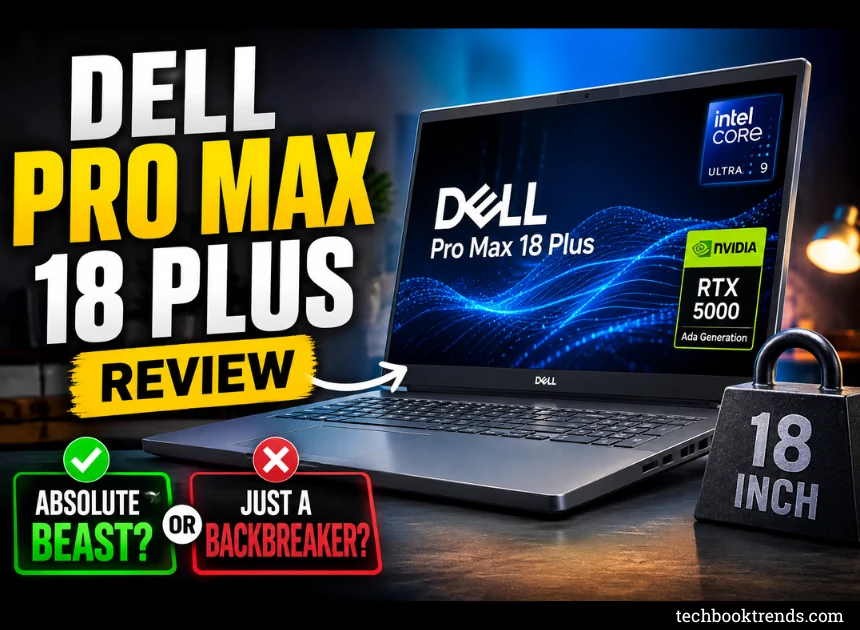
Dell Pro Max 18 Plus Review: Absolute Beast, or Just a Backbreaker?
When I first hauled the Dell Pro Max 18 Plus out of its box, my very first thought was pretty blunt: “This thing is an absolute unit.”
We’re talking seriously massive.
This isn’t the kind of laptop you casually throw into a tote bag before heading down to the local coffee shop. Carrying it around feels less like packing a laptop and a lot more like moving a compact desktop setup. But after living with it for a while and pushing it to its absolute limits, I finally get what Dell is trying to do here.
The Pro Max 18 Plus isn’t trying to be a crowd-pleaser. It’s a niche, totally unapologetic machine built specifically for the people who break normal computers for a living—think developers, video editors, 3D artists, and AI engineers.
After putting it through some genuinely brutal workloads, here is my honest, unfiltered take.
First Impressions: Built Like a Tank
The star of the show is obviously that massive 18-inch display.
If you’re coming from a standard 15- or 16-inch laptop, the extra screen real estate feels like moving out of a cramped studio apartment and into a penthouse. For multitasking, it’s a total game-changer. I could comfortably park my code editor, a browser window, my Slack channels, and a live dashboard on the screen all at once, without ever feeling the need to plug into an external monitor.
As for the build quality, it feels incredibly premium. There’s zero cheap, bendy plastic here; Dell clearly built this thing to survive a beating.
But you definitely pay for that durability in raw weight. Tipping the scales at over 3.2 kg (and that’s before you count the beefy power brick), your shoulders are going to feel it. If your daily routine involves a lot of walking or commuting, this probably isn’t the machine for you.
Performance: No-Compromise Raw Power
This is the exact reason you buy a machine like this. My review unit came packed with some ridiculously heavy-hitting hardware:
-
Processor: Intel Core Ultra 9 285HX
-
Graphics: NVIDIA RTX Pro
-
Storage: Ultra-fast NVMe SSD
-
Memory: Maxed-out RAM configuration
To see what it could actually handle, I threw the kitchen sink at it. I was exporting 4K video timelines, running local AI models, spinning up multiple virtual machines, and keeping way too many memory-hogging Chrome tabs open all at the same time.
The result? It didn’t even flinch. No stuttering, no lag spikes, no weird micro-freezes. If your daily workflow routinely maxes out standard hardware, the Pro Max 18 Plus gives you true, desktop-grade performance that you can actually pack into a backpack.
The Screen: Great for Work, Just Don’t Expect OLED Magic
That 18-inch QHD+ (2560×1600) panel is a productivity dream. The 16:10 aspect ratio gives you that crucial extra vertical space, which is amazing for reading lines of code or scrubbing through complex video timelines. Text looks incredibly crisp, colors are accurate enough for professional creative work, and it gets plenty bright.
That said, it’s worth noting that this isn’t an OLED panel. If you’re expecting those deep, infinite blacks and high-contrast punch for late-night movie sessions, you might find it a little underwhelming compared to what some competitors are putting out. But for pure, unadulterated work? It’s excellent.
Keyboard, Trackpad, and I/O: Leave the Dongles Behind
Dell made great use of the massive footprint here. The keyboard has deep key travel and a really satisfying tactile click, making it comfortable to type on for hours on end. Plus, they managed to squeeze in a full-sized numeric keypad—a massive win if you spend your life in spreadsheets, Blender shortcuts, or data entry.
The port selection is equally generous. You get all the modern connectivity you need for external displays, high-speed storage, and peripherals. You can officially leave your USB-C dongles in a drawer.
The Catch: Noise and Battery Life
With this much power crammed into a laptop chassis, physics always wins. There are two major trade-offs you need to know about before buying:
1. It Gets Loud Under Load
When you start rendering videos or training models, the fans kick into overdrive. It’s not a high-pitched, annoying whine, but it’s definitely loud enough that you’ll want a good pair of noise-canceling headphones nearby. The cooling system does its job keeping the components from melting or throttling, but it works damn hard to do it.
2. Don’t Stray Too Far From a Wall Outlet
Don’t buy this expecting to work all day from a park bench. For basic tasks like replying to emails or typing up a document, the battery life is fine. But the moment you engage that dedicated GPU, the battery percentage plummets. Treat this as a transportable workstation—it’s meant to live plugged into a wall.
The Verdict: Who is This For?
Check it out if you are a:
-
Video editor or 3D animator who needs a mobile rig.
-
Software engineer or DevOps specialist running heavy local environments.
-
Data scientist or AI researcher.
-
Professional who needs a portable workstation but absolutely hates small screens.
Skip it if you want:
-
Something lightweight for casual travel or working on flights.
-
Whisper-quiet operation in quiet rooms or libraries.
-
All-day, unplugged battery life.
-
A casual machine just for Netflix and scrolling the web.
Ultimately, the Dell Pro Max 18 Plus is easily one of the most powerful Windows laptops on the market right now. It genuinely feels like Dell managed to squeeze a high-end desktop tower into a laptop frame.
It isn’t cheap, it isn’t light, and it definitely isn’t quiet—but if your livelihood depends on raw computing power, this beast delivers exactly what it promises.